
Ad disclosure: When I told Sago Sago I was planning a blog post about their apps they provided me with a free code to preview the Doodlecast app before release. All the other apps have been previously purchased by ourselves.
Georgie loves to play on the iPad and it is really great as an educational tool too. At the moment, she is really into all of the Sago Sago apps, which are full of bright colours and fun. They are all universal apps, meaning that they work both on your iPhone/iPod touch, and your iPad.

I really recommend all of these apps as fantastically entertaining for your little people, as well as helping to broaden their imagination and creativity. There are now four Sago Mini apps, the newest of which is Sago Mini Doodlecast, which Georgie has been playing with non stop for the last few days, whenever she’s had her hands on the iPad.
All of the Sago Mini apps are free of 3rd party advertising (and you can turn off the small “Sago News” section in the settings app), and have no in-app purchases, meaning that the price you pay up front is all you ever need to pay for your child to have the full enjoyment possible from the app.
 Sago Mini Sound Box
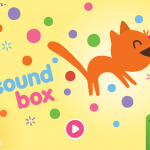
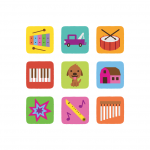
This app is great fun – you start by choosing a type of sound and then basically bash away at the screen to make lots of lovely noise! There is a whole variety of sound effects and some hidden surprises for your child to discover.
Georgie likes to throw the sound balls around the screen where they bounce off each other and the edges of the screen, making lots of noise in the process. Lydia likes to watch this app with someone else playing, and it won’t be long before she’s making lots of noise too.


Sago Mini Forest Flyer
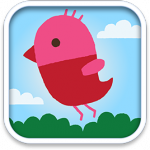
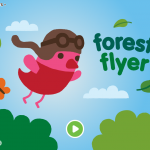
This app is absolutely hilarious & very entertaining! Georgie adores it and spends ages ferreting out the hidden secrets. Completely without storyline or direction, you are in control of an adorable bird flying around a forest. There is loads to interact with, and over 20 different animations.
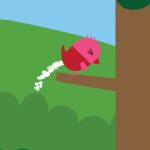
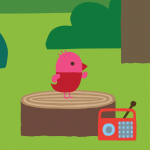
Georgie loves to send the robin to play the mushroom drums, have a splash in the pond, and to one particular branch where the bird takes care of a bit of business, if you get my drift!
We were playing together yesterday morning and she amazed me by telling me “rain off” and showing me that I had to guide the robin back to the right spot, to get the sunny skies to reappear – she knows her way around the forest, after not too long playing there. It is simple enough for her to understand and enjoy, without being boring or repetitive – making it an app she goes back to again and again whenever she wants a giggle.

Sago Mini Bug Builder
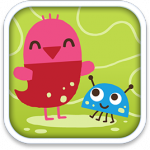
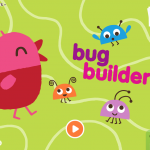
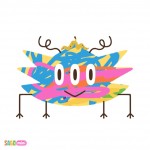
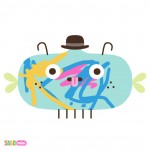
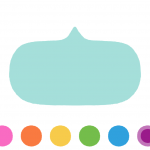
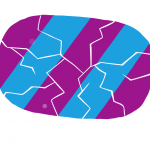
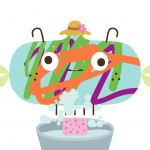
Bug Builder is a fab little colouring app with a difference. Each time you load the app, a bug flits onto the screen, lays an egg & leaves. This egg grows to fill the screen, and you have a peek inside. Out pops a new blank bug body, which you can colour in. A simple palette of 6 bright colours leads to a great look for your bug whatever scribbles your child comes out with.
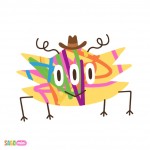
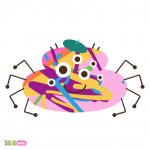
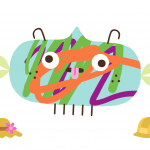
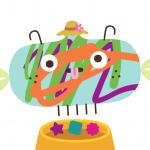
Once your colouring is done, you crack the egg open and out pops your decorated bug, complete with face, legs and antennae. The next job is to give it a hat, choosing from two random offerings, and then feed it some dinner and wash it’s face once it’s done eating. Now that it’s dressed, fed & camera-ready, you snap it’s photo before it squeezes out a new egg for you, and the cycle starts again.
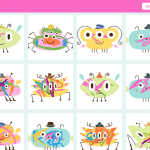
The app saves photos of your last 60 bugs (although you can turn this limitation off and save them all!), but they’re saved in-app, not to your camera roll, hooray! You can head to the in-app gallery in order to export photos to your camera roll, a functionality hidden behind a simple test to protect against random toddler screen swipes.
Sago Mini Doodlecast
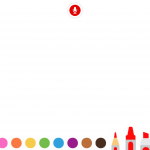
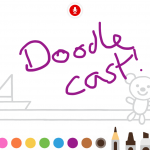
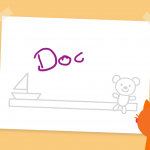
Doodlecast, Sago Sago’s newest offering, is a fab drawing game that records the drawing from scratch, including any audio it picks up while you draw. This is a fantastic idea, as it allows you to record the narrative your child gives to their drawings.
It really seems to encourage joint iPad time, rather than just allowing Georgie to draw on her own we found that we were talking to her more about what she was drawing, repeating the question prompts from the app to encourage her to say what she was drawing.
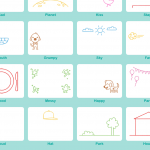
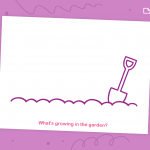
There are a variety of prompts to start with, questions such as “What’s growing in the garden?” and “What’s happening in the water?”, each of which have a tiny bit of detail to get you started. Alternatively, you can start with a blank canvas and leave it entirely up to your imagination! Georgie loves to boss us about so half the time she draws and tells us what she is drawing, and the other half of the time she imperiously commands us to draw particular things. That would be how we ended up with a sheep and cat joining a bird, flying in the sky!
As with Bug Builder, the app displays the saved videos in its own gallery and then allows an adult to export these to your camera roll. To prevent your toddler from filling up your entire device’s available memory they are restricted to recording 10 minute videos, a limitation which can be turned off in the main settings app. You can also limit it to only save the last 20 drawings, though this is off by default.


To see more info about the Sago Mini apps, head to their website or take a look at their youtube channel. In the meantime, we’ll be waiting eagerly for the next instalment!
I’ll be launching a giveaway for Bug Builder this afternoon, so watch this space.




I think the bird one is free at the moment as I’ve downloaded it.
Hi Lucy – it is free at the moment
Sweet reviews! “@zoecorkhill: Geeking Out: @sagosagotoys iPhone & iPad apps for toddlers and preschoolers
”