
Ad disclosure: This is a collaborative post.
Writing is a creative and often mentally demanding endeavor. If you’re writing an article, mapping out a novel, or conducting research-intensive content writing, remaining focused will be the greatest challenge. The atmosphere, distractions, and even your technology setup can spell the difference between success and failure in terms of productivity.
And if you’ve ever been buried under a dozen open tabs or constantly flipping between your draft and research notes, there’s one upgrade you might not have thought of: a laptop screen extender.
These useful devices provide writers with a functional means of organizing their digital work environment, minimizing mental fatigue, and allowing them to remain in the zone for longer periods. Here’s how.
Why Writers Need More Screen Extenders
You don’t have to be a geek to appreciate a better workflow. Consider the usual writing session: You may have your draft open in one window, research sources in another, an outline in a third, and an email in the next. All that window-switching wastes time and attention.

With a laptop screen extender, you can keep your writing apart from your research, reference pictures, or editing software. Your draft can stay on one screen, and your notes or source material can stay on the other. That way, you’re not repeatedly minimizing and resizing windows and don’t get interrupted in your writing rhythm.
Want to declutter your workspace and increase productivity? Explore the Mobile Pixels Trio laptop screen extender, a cutting-edge screen extender engineered for creators, professionals, and multitaskers.
Stay in the Zone: Minimize Distractions, Enhance Output
Writers often rely on deep work—a state of prolonged concentration where the best writing gets done. However, it’s challenging to adopt that mindset when your desktop feels cluttered, and you’re constantly toggling between applications. A second screen helps declutter your brain by visually organizing your work.
This is particularly helpful during the revision phase. For instance, you can see feedback or edits on one screen while editing on another. The back-and-forth with no abrupt switches enhances your rhythm and allows you to concentrate on shaping rather than orienting.
Bonus Tip: Need a science-backed motivation to maximize your setup? Harvard Health Publishing says that minimizing digital eye strain and organizing your screen real estate can help with improved long-term concentration and fewer headaches—a huge win for writers who spend hours gazing at screens.
More Space, Less Stress
Let’s be realistic: Writing is already a cognitively demanding task. Throwing tech friction into the mix exacerbates the problem. Resizing windows constantly, getting lost while researching, or switching between draft and reference material contribute to low-level stress that accumulates over time.
Screen extenders are frequently used by writers, who report:
- Enhanced workflow and reduced window-switching
- Less eye strain and fewer posture problems (because they’re not leaning over one tiny screen)
- Improved capacity for multitasking without losing concentration
Suppose you’re a student working on term papers. In that case, for a journalist working against deadlines or a writer developing story structures, a two-monitor configuration makes your writing space feel less disorganized and more helpful.
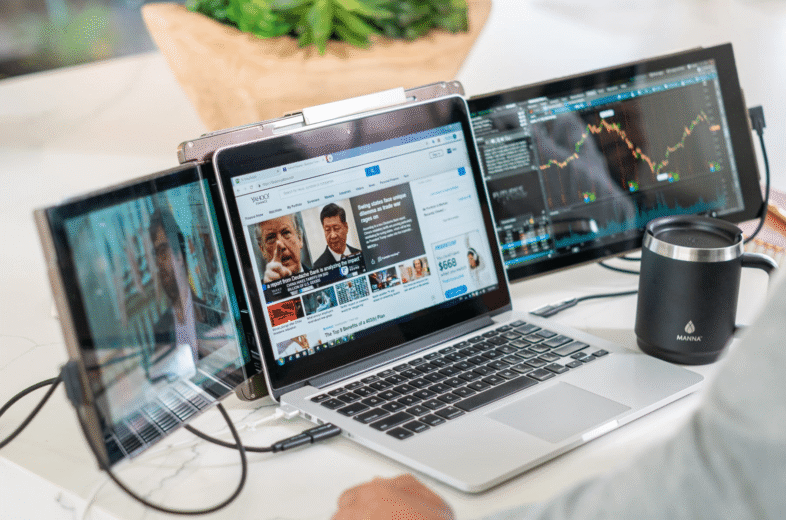
Real-World Example: Writing and Research Side by Side
Picture this: You’re writing an article on global warming. You’ve got your Word document on your primary screen. You’ve opened the two tabs on the extended screen: a government report and a PDF of scholarly research.
Rather than constantly flipping back and forth or employing split-screen (which is confining), you look to the side and snag the information you require without breaking focus. Multiply that over hours of writing, and you’ve saved mental energy, reduced distraction, and kept your writing voice consistent.
Ready to Write Smarter, Not Harder?
Using a laptop screen extender is one of the easiest ways writers can upgrade their workflow and sustain their focus. It’s a small investment with big returns—fewer interruptions, smoother editing, and a more enjoyable writing experience.
Try a portable screen extender today and discover how a second screen can keep you engaged in your draft and knock out your word count with precision.
